
Instagram Grid & Feed Preview Planner

Preview your posts in a grid before posting - with our free tool.

Upload your images to our feed preview planner and see how they will look together in your Instagram feed.

Start with uploading your IG graphics here 👇👇👇

Elevate Your Instagram Grid with Canva Templates

Check our ready-to-use Canva Templates and create weeks of Instagram content in minutes 👇

70+ Instagram Carousel Templates

Case Study & Testimonials for Instagram

Mega Marketing Bundle for Canva

Educational Infographics Templates

How To Use This Instagram Grid Planner

Here is how the Instagram Feed Previewer works:

Step 1

Upload Your Images or Graphics

Add PNG, JPG, WEBP, or GIF files from your device. The tool places them into the next available slots in your Instagram feed preview.

Step 2

Review The Feed Layout

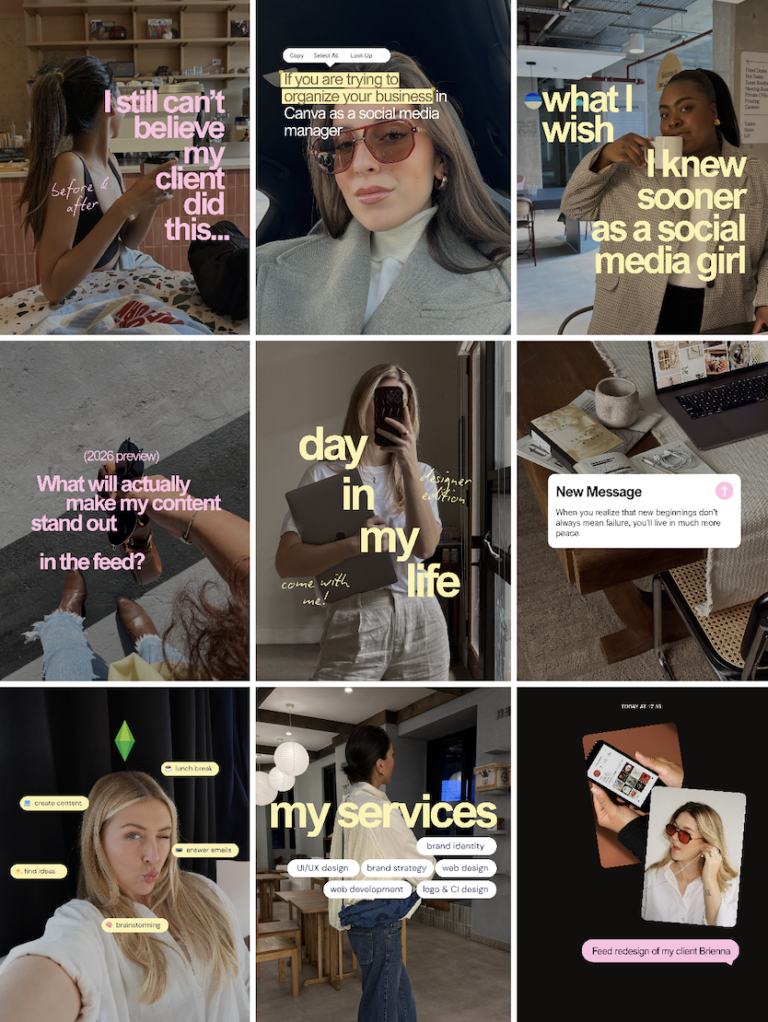
Look at the 3-column grid and check whether your next nine posts feel balanced, branded, and visually connected.

Step 3

Adjust or Save For Later

Remove uploads, swap your source images, and keep refining the plan until your Instagram grid feels consistent and ready.

Why Use an Instagram Feed Preview Tool?

A planned feed helps you make stronger publishing decisions before your audience ever sees the final result.

Create A More Cohesive Feed

Instead of judging each post on its own, you can review your Instagram grid as a full visual system and make sure everything works together.

Build A Recognizable Brand Look

A consistent Instagram feed can help followers quickly understand your style, niche, and tone before they even scroll through individual captions.

Plan Around Launches And Campaigns

An Instagram post planner makes it easier to line up product drops, seasonal content, and promotions in a way that still feels visually organized.

Save Time On Posting Decisions

When your layout is already mapped out, publishing becomes much easier because the visual choices have already been made ahead of time.

Who Uses an Instagram Grid Planner?

 Service Businesses: Coaches, consultants, studios, and wellness brands often use an Instagram grid planner to create a feed that looks trustworthy

Shops and Product Brands: Retail and e-commerce accounts can line up product imagery to keep the storefront side of Instagram visually strong. 

Creators And Visual Pros: Photographers, designers, artists, and content creators use an Instagram feed planner to protect the overall story their profile tells. 

Frequently Asked Questions:

Yes. You can use this Instagram grid planner for free in your browser to upload images, preview a 3×3 layout, and plan your feed visually.

It helps you organize upcoming Instagram posts so your profile looks more cohesive, intentional, and visually consistent before you publish.

Yes. This planner is designed as a browser-based preview tool (no login or app download necessary!), so your images can be reviewed locally while you build your Instagram feed preview.

As many as you wish! You can use the tool for any brand, business, creator account, or personal profile whenever you want to check a feed layout.

Yes. You can download your current feed preview as one PNG, perfect for recreating the right order on your feed later.

Powered By MemberPress WooCommerce Plus Integration
Black Friday Deal 🥳
Days
Hrs
Min
Sec

Get Unlimited Downloads

Plus access to monthly Content Guides and our SMM License for use on up to 20 client accounts!

Quarterly

$149
per quarter

Annual DEAL

$499 $299
per year

😢

Oh no, you've used all your download credits for this month!

To get more credits and download more templates, either renew your monthly subscription or upgrade to one of our unlimited plans.

Join the Membership with the Lifetime All-Access Pass

$ 375 2 Monthly Payments(incl. VAT, where applicable)
  • Lifetime Access to 2,000+ Canva Templates, Content Ideas and monthly new Template Drops
  • Pay in 2 small Installments, no susbcription!
$ 749 One-Time Payment(incl. VAT, where applicable)
  • Lifetime Access to 2,000+ Canva Templates, Content Ideas and monthly new Template Drops
  • One-Time Payment, no subscription!

Your subscription has been cancelled.

We value your feedback and would love to know how we can improve the Membership.

😢

Oh no, we're sad to see you go!

Your membership will automatically be cancelled for the following date:

[minimum_expiration_date]

Please note: When you cancel your subscription, your template license expires at the date set above. You won’t be able to use any templates from the membership library after this date (including those already downloaded into your Canva account).
My cart
Your cart is empty.

Looks like you haven't made a choice yet.